Installing and configuring modules
Save every file as UTF-8 without BOM, e.g. with Notepad++
- Download the module archive.
- Unpack it and copy the files into the matching folders on the server.
- Add the module’s phrases to the modules translation file
addons/sourcemod/translations/vip_modules.phrases.txt(see the module’s description; skip if it has none). - Configure the module’s config in
addons/sourcemod/data/vip/modules/(see the module’s description; skip if it has none). - Add the module’s parameters to the VIP groups that should have it, in
addons/sourcemod/data/vip/cfg/groups.ini(see the module’s description). Groups can also inherit parameters from other groups. - After the first start the module may create a config in
cfg/vip/(see the module’s description; skip if it has none).
Example
Let’s install [VIP] Respawn step by step:
- Download the module files:
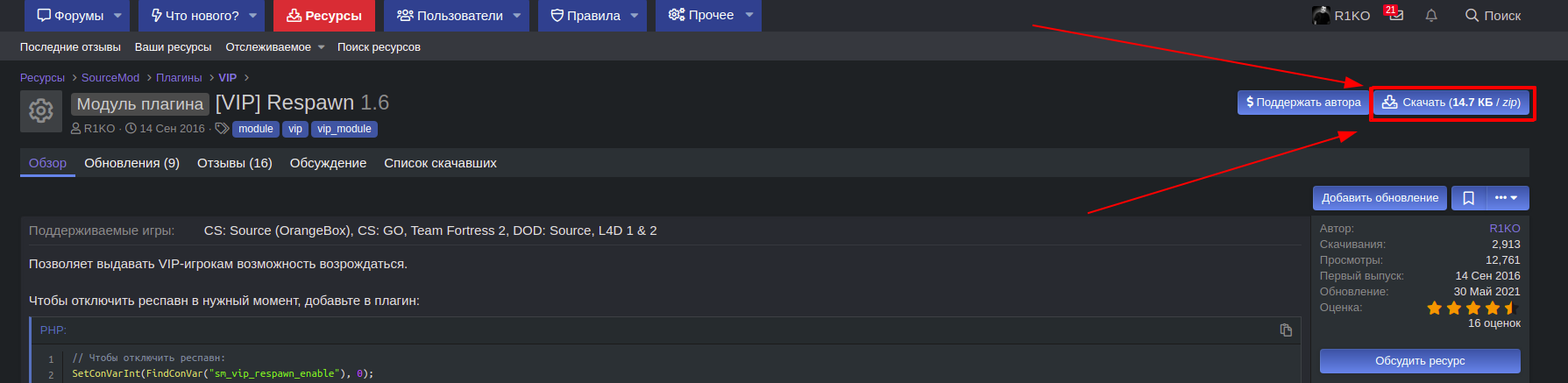
- Unpack the archive and copy the files into the matching folders on the server.
- Add the module’s phrases to
addons/sourcemod/translations/vip_modules.phrases.txt: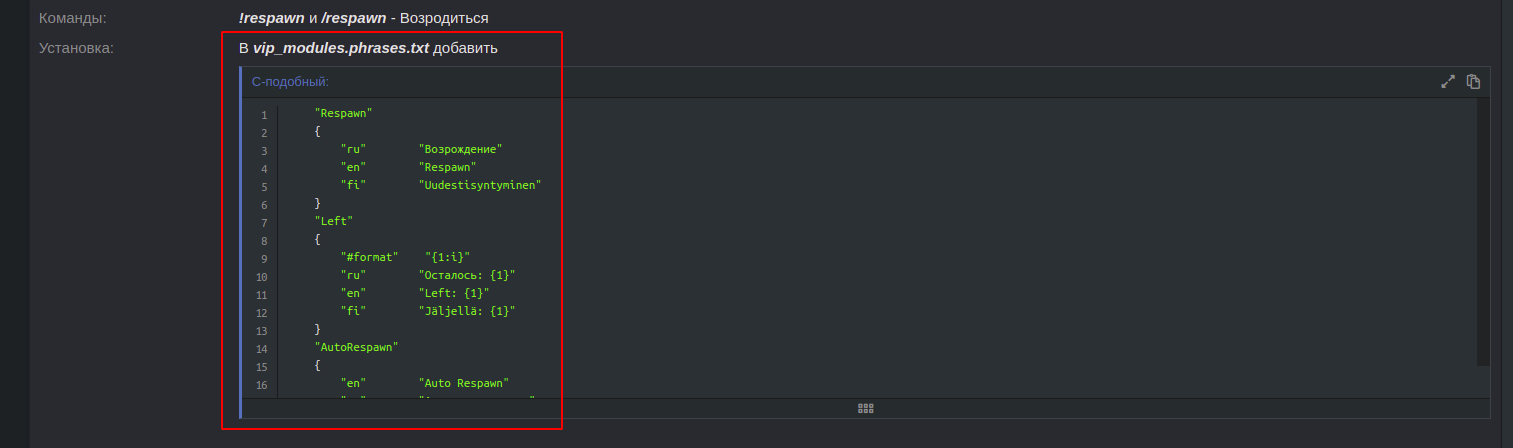
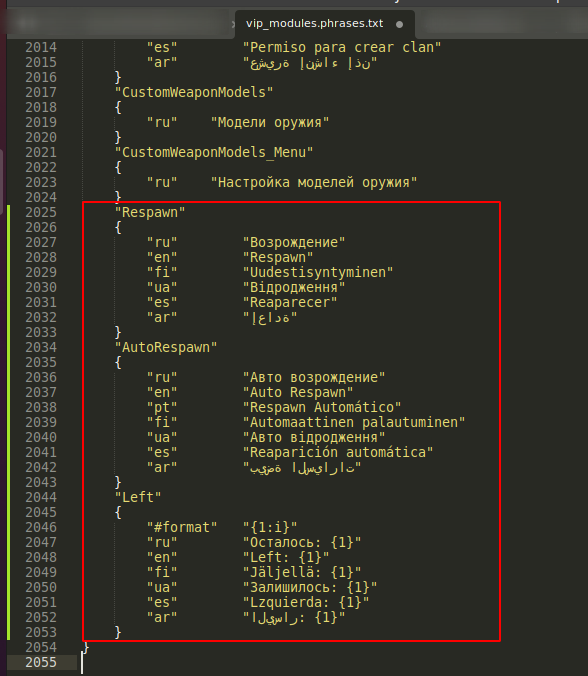
- Module config - skip, the module doesn’t mention one.
- Add the parameters to the VIP groups:
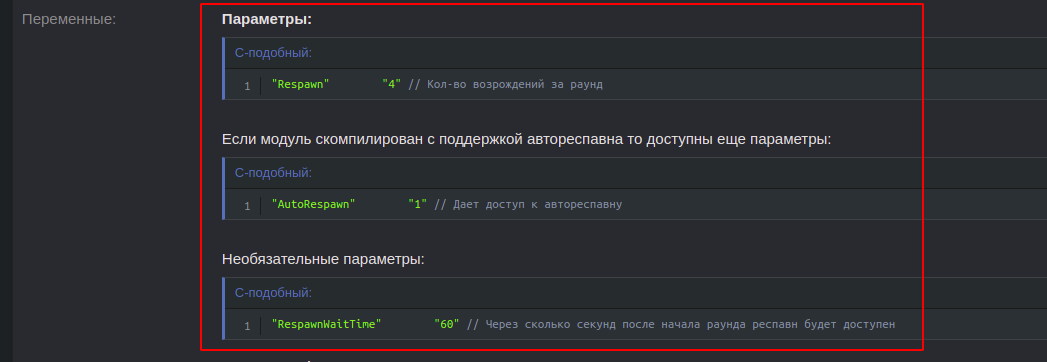
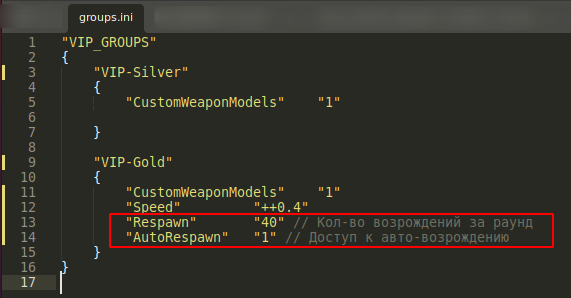
- Config created after start - skip, the module doesn’t mention one.
- Restart the server or change the map (run sm_reload_translations if you changed a translation file) and enjoy.